English
Self-Hosted Browser Automation: The Complete Guide for 2026
Every self-hosted browser automation tool compared: Browserless, Steel, Camoufox, Clawbrowser, Playwright. When to self-host, what each tool does and what's missing.

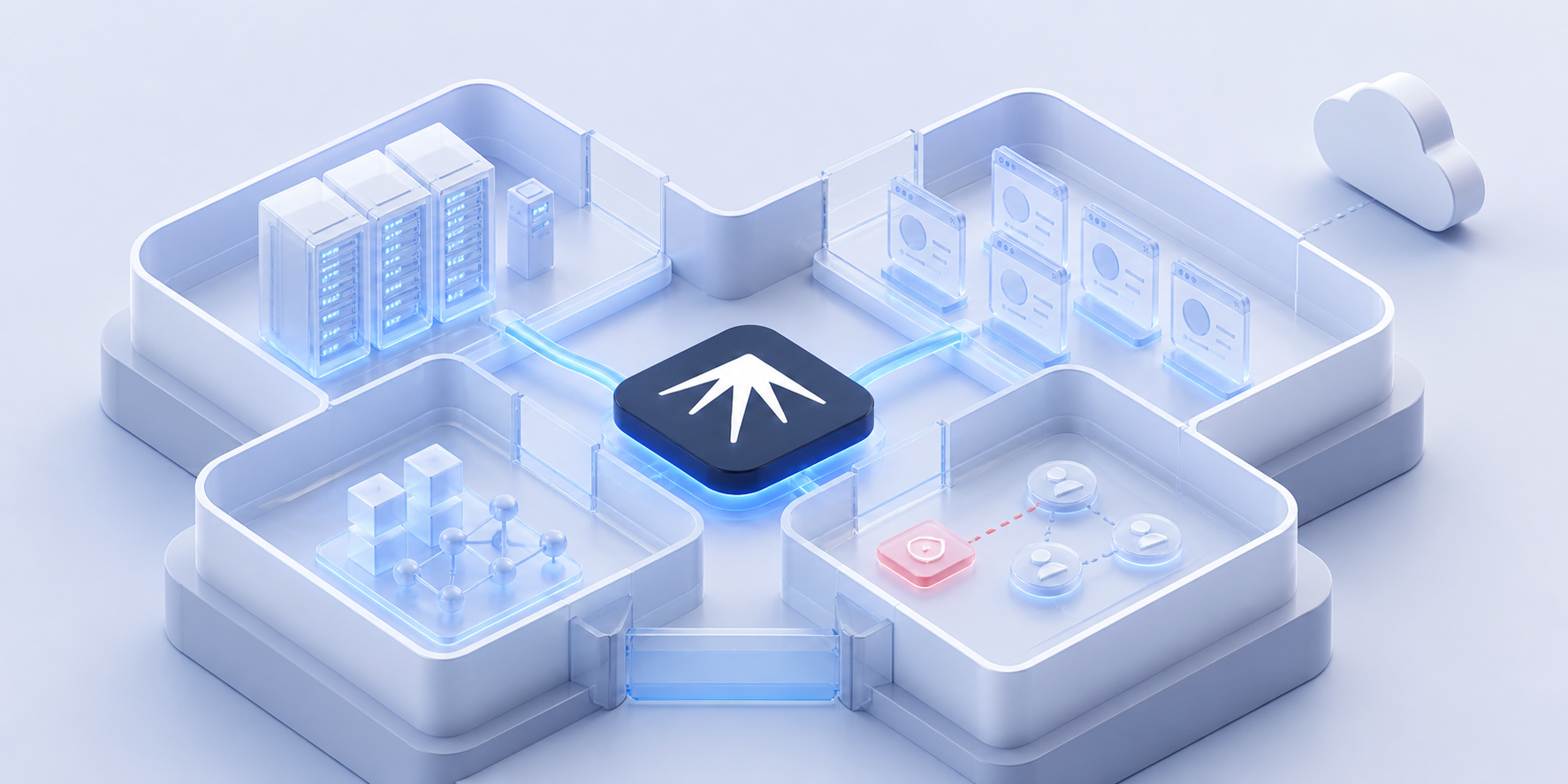
Self-hosted browser automation means running your browsers, proxies and automation logic on your own hardware. No cloud dependency. No per-session billing. No data leaving your network.
The category has grown significantly in 2026, but the tools serve very different purposes. Some give you headless browser infrastructure. Some give you anti-detection. Some give you automation frameworks. None of them, until recently, gave you all three plus multi-account orchestration in one self-hosted package.
TL;DR: Browserless and Steel provide self-hosted browser infrastructure. Camoufox and Clawbrowser provide self-hosted anti-detection. Playwright and Puppeteer provide automation frameworks. Nextbrowser is the self-hosted orchestration layer that ties them together with multi-account profiles, fallback chains and Solution Memory. All run locally at $0.
Why Self-Host Browser Automation?
People move to self-hosted browser automation for three reasons.
-
Cost at scale. Cloud browser services charge per session or per GB. At 1,000+ sessions per day, the bill grows fast. Self-hosted means fixed hardware costs regardless of volume. As one developer on r/selfhosted put it when discussing Browserless alternatives: "managing a browser for scraping and automation costs more than you think" when using cloud services.
-
Data sovereignty. Browser automation often handles credentials, session tokens and sensitive business data. Self-hosted means that data never touches a third-party server. No compliance concerns. No vendor access to your sessions.
-
Reliability. Cloud services have outages, rate limits and deprecation cycles. Self-hosted infrastructure runs on your schedule. No API changes breaking your pipeline overnight.
The Self-Hosted Browser Automation Landscape
The tools in this space fall into four categories. Understanding which category you need prevents choosing the wrong tool.
Category 1: Browser Infrastructure
These tools give you headless browsers as a service, running on your own servers.
Browserless is the most established self-hosted browser infrastructure. It runs Chrome/Chromium in Docker containers and exposes Puppeteer, Playwright and REST APIs. Enterprise teams use it for rendering, PDF generation, screenshots and scraping at scale.
| Detail | Info |
|---|---|
| What it does | Headless browser sessions via Docker |
| API support | Puppeteer, Playwright, REST, WebSocket |
| License | SSPL (free for open projects, commercial license required for closed-source) |
| Anti-detect | No |
| Multi-account | No |
| Best for | Teams running high-volume headless browser workloads on their own servers |
Browserless solves infrastructure well. It does not solve fingerprinting, proxy rotation or multi-account isolation.
Steel is an open-source browser API built for AI agents. It provides session management, proxy support and basic anti-detection through stealth plugins.
| Detail | Info |
|---|---|
| What it does | Browser API for AI agents with session persistence |
| License | Apache 2.0 |
| Anti-detect | Basic (stealth plugins, fingerprint management) |
| Multi-account | No |
| Status | Beta |
| Best for | AI agent developers who need persistent browser sessions with basic stealth |
Steel is newer and more AI-focused than Browserless, but still single-session. No multi-account orchestration.
Category 2: Anti-Detect Browsers
These tools focus on making browser sessions undetectable by platform anti-fraud systems.
Camoufox modifies Firefox at the C++ source level before compilation. The anti-fingerprinting is baked into the engine, not bolted on at runtime. Near-zero headless detection rate in independent benchmarks. For a deeper comparison of open-source anti-detect options, see Open-Source Anti-Detect Browser Alternatives in 2026.
| Detail | Info |
|---|---|
| What it does | Anti-detect Firefox browser |
| License | MIT |
| API | Python (Playwright-compatible) |
| Anti-detect | Engine-level (C++ modifications) |
| Multi-account | No |
| Best for | Developers who need strong stealth and can build their own profile management |
Clawbrowser is a Chromium-based anti-detect browser with fully isolated profiles, built-in proxy routing and native AI agent support. It combines anti-detection with the profile management that Camoufox lacks.
| Detail | Info |
|---|---|
| What it does | Anti-detect Chromium with profiles, proxies and AI agent support |
| License | Free for commercial use |
| API | Playwright, Puppeteer, Claude Code, Codex, Kilocode, Hermes, Openclaw (standard CDP) |
| Anti-detect | Engine-level (C++) and per-profile fingerprints and proxy routing |
| Multi-account | Yes (fully isolated profiles) |
| Best for | Teams who need anti-detect + profile isolation + proxy routing in one tool |
HeadlessX is a self-hosted scraping platform built on top of Camoufox. It passes BrowserScan, Pixelscan and Cloudflare detection checks. Developer-focused, single-session workflows.
| Detail | Info |
|---|---|
| What it does | Self-hosted scraping with Camoufox engine |
| Anti-detect | Yes (inherits from Camoufox) |
| Multi-account | No |
| Best for | Scraping teams who want Camoufox stealth in a managed platform |
Category 3: Automation Frameworks
These are the tools you write automation scripts with. They control the browser but don't provide the browser itself.
Playwright (Microsoft) and Puppeteer (Google) are the standard automation frameworks. Both support Chromium. Playwright also supports Firefox and WebKit. They handle page navigation, element interaction, screenshot capture and network interception.
Neither provides anti-detection, proxy management or multi-account isolation. They are the scripting layer, not the infrastructure layer.
Stealth plugins exist for both (most popular: a Playwright stealth plugin with 27K+ stars), but runtime JS patches are fundamentally weaker than engine-level modifications.
Category 4: Orchestration
This is the layer that coordinates everything above. Instead of choosing one browser, one proxy and one approach, an orchestrator uses multiple tools and switches between them based on what works.
Nextbrowser is the only self-hosted tool that sits in this category. It's an open-source orchestration layer (AGPL-3.0-only) that coordinates Clawbrowser, Camoufox, Playwright and your proxies as a system.
| Detail | Info |
|---|---|
| What it does | Orchestrates browsers, proxies and AI agents with automatic fallback |
| License | AGPL-3.0-only |
| Platform | macOS and Windows desktop app |
| Anti-detect | Via Clawbrowser and Camoufox adapters |
| Multi-account | Yes (fully isolated profiles via Clawbrowser) |
| Proxy management | Yes (per-profile proxy assignment and rotation) |
| Learning | Solution Memory records which tool combos work best per task |
| Cost | $0 |
Comparison: Self-Hosted Tools at a Glance
| Feature | Browserless | Steel | Camoufox | Clawbrowser | HeadlessX | Playwright | Nextbrowser |
|---|---|---|---|---|---|---|---|
| Self-hosted | Yes (Docker) | Yes | Yes | Yes | Yes | Yes | Yes (desktop) |
| Anti-detect | No | Basic | Engine-level | Engine-level | Engine-level | Plugin only | Via adapters |
| Multi-account profiles | No | No | No | Yes | No | No | Yes |
| Proxy management | No | Basic | No | Yes | No | No | Yes |
| AI agent support | No | Yes | No | Yes (CDP) | No | Via code | Yes |
| Fallback chains | No | No | No | No | No | No | Yes |
| Solution Memory | No | No | No | No | No | No | Yes |
| License | SSPL | Apache 2.0 | MIT | Free commercial | Open source | Apache 2.0 | AGPL-3.0-only |
| Cost | $0 | $0 | $0 | $0 | $0 | $0 | $0 |
When to Self-Host vs Use Cloud
Self-hosting isn't always the right choice. Here's a decision framework.
Self-host when:
- You run 500+ browser sessions per day (cloud costs exceed hardware costs)
- Your automation handles sensitive credentials or business data
- You need anti-detect capabilities that cloud services don't offer
- You want to avoid vendor lock-in and API deprecation risk
- You manage multiple accounts that require isolated profiles
Use cloud when:
- You run fewer than 100 sessions per day (cloud is cheaper than maintaining infrastructure)
- You need global geographic distribution (cloud providers have edge nodes everywhere)
- You don't have DevOps capacity to maintain servers
- You need SOC 2 or similar compliance certifications from your provider
The hybrid approach: Many teams self-host their primary automation and use cloud services as overflow capacity. Nextbrowser supports this: Clawbrowser runs locally as the primary engine, with cloud browser APIs available as adapters for burst capacity.
Browser-as-a-Service vs Self-Hosted Playwright Infrastructure
This is one of the most common architecture decisions teams face when scaling browser automation. BaaS platforms (Browserless, Steel, BrowserBase, Apify) give you managed browser sessions via API. Self-hosted Playwright means running Playwright on your own servers, containers or CI runners.
Here's how they compare:
| Factor | Browser-as-a-Service | Self-Hosted Playwright |
|---|---|---|
| Setup time | Minutes (API key + SDK) | Hours to days (Docker, orchestration, monitoring) |
| Cost at low volume | Cheaper (pay per session) | More expensive (idle server costs) |
| Cost at 1,000+ sessions/day | Expensive ($200-800+/mo) | Cheaper (fixed hardware) |
| Session persistence | Depends on provider | Full control |
| Anti-bot detection | Basic stealth at best | Plugin-level only (easily detected) |
| Data privacy | Sessions run on vendor infra | Data stays on your network |
| Geographic distribution | Built-in (edge nodes) | DIY (deploy to multiple regions) |
| Maintenance burden | Zero (vendor handles it) | High (updates, scaling, monitoring) |
| Vendor lock-in | High (proprietary APIs, session formats) | None (standard Playwright API) |
| Concurrent session limits | Plan-dependent | Hardware-dependent |
When BaaS wins
BaaS makes sense when you need browser sessions quickly, run fewer than a few hundred sessions per day, and don't handle sensitive credentials. PDF rendering, screenshot APIs and one-off scraping jobs are the sweet spot. The per-session cost is worth not maintaining infrastructure.
When self-hosted Playwright wins
Self-hosted Playwright wins when you control the cost curve. Beyond roughly 500 sessions per day, the fixed cost of a dedicated server or VM fleet is lower than per-session pricing. You also get full control over browser versions, network configuration and execution timing.
The gap neither fills
Neither approach solves anti-detection or multi-account isolation. BaaS gives you clean browser sessions but no fingerprint management. Self-hosted Playwright gives you raw automation power but no stealth. For workflows that require both (social media management, account operations, competitive intelligence), you need anti-detect browsers and an orchestration layer on top.
That's where the tooling in this guide comes in. Clawbrowser adds anti-detect and profile isolation. Nextbrowser adds orchestration, fallback chains and Solution Memory across all of them — and everything runs self-hosted on your desktop at $0.
The Missing Piece: Multi-Account Orchestration
Every self-hosted tool in the comparison table above solves one or two problems well. None of them solve the full stack. We covered the structural reasons for this in The Problem with Anti-Detect Browsers (And What Comes Next).
- Browserless gives you browser infrastructure but no anti-detect
- Camoufox gives you anti-detect but no multi-account profiles
- Clawbrowser gives you anti-detect and profiles but no cross-tool fallback
- Playwright gives you automation scripting but no stealth
When you manage 50+ accounts across multiple platforms, you need all of these working together. You need profile isolation per account. You need proxy rotation per profile. You need fallback logic when one browser engine gets detected. You need memory of what worked before.
That's the orchestration layer. Nextbrowser coordinates your self-hosted tools as a unified system:
- Clawbrowser as the primary engine. Profiles, proxies and fingerprinting handled natively.
- Playwright stealth for speed. Lightweight tasks that don't need full anti-detect.
- Camoufox as a Firefox fallback. Adapter currently in development, for sites that specifically block Chromium.
- Solution Memory. Learns which browser + proxy combination works best for each platform over time.
- Automatic fallback chains. If the primary engine gets blocked, Nextbrowser switches to the next one without human intervention.
Download the desktop app for macOS or Windows and you're running in minutes. Everything stays on your machine.
FAQ
Is Browserless the same as self-hosted browser automation?
No. Browserless is self-hosted browser infrastructure. It gives you headless Chrome sessions via Docker. But it doesn't handle anti-detection, multi-account isolation or proxy rotation. It's one piece of the self-hosted automation stack, not the whole thing.
Can I self-host GoLogin or Dolphin Anty?
No. GoLogin, Dolphin Anty and other commercial anti-detect browsers are cloud-only SaaS products. Your profiles, fingerprints and session data live on their servers. If you need self-hosted anti-detect with multi-account profiles, Clawbrowser is the closest equivalent at $0.
What hardware do I need for self-hosted browser automation?
For basic automation (10-20 concurrent sessions): any modern machine with 8GB RAM and 4 CPU cores. For scale (50+ concurrent sessions): 32GB+ RAM, 8+ cores, SSD storage. Each browser session consumes roughly 200-500MB RAM depending on page complexity. Nextbrowser runs as a desktop app on macOS or Windows with no additional infrastructure requirements.
Is Nextbrowser safe for commercial use?
Yes. AGPL-3.0-only permits commercial use of Nextbrowser. If you distribute a modified version, or make a modified version available for remote network interaction, you must offer the corresponding source under AGPL-3.0-only. The obligation applies to Nextbrowser itself, not automatically to independent tools it connects to.
Get Started
The fastest path to self-hosted browser automation with multi-account support:
- Download Nextbrowser for macOS or Windows
- Install Clawbrowser as your primary anti-detect engine (clawbrowser.ai)
- Describe your first task. Nextbrowser discovers your tools and plans the approach.
- Watch it learn. Solution Memory improves with every run.
- GitHub: github.com/nextbrowser-oss/nextbrowser-app
- Download: github.com/nextbrowser-oss/nextbrowser-app/releases
- Discord: discord.gg/gHXEvkGXnz
See the workflow in action
Watch a recorded task and follow the written guide.
Browse all demos → Nextbrowser TeamOpen-Source Anti-Detect Browser Alternatives in 2026Compare genuinely open-source anti-detect browsers: Camoufox, Donut Browser, Clawbrowser, Playwright stealth. Honest trade-offs and an orchestration solution.
 Nextbrowser TeamAI Social Media Monitoring: From Detection to ResponseSocial media monitoring is not about dashboards. It is about finding conversations that matter and responding before competitors do. Learn the five-step workflow and how AI browser agents run it across platforms.
 NextBrowser TeamBrowser Fingerprinting Explained: What It Means for Your AutomationBrowser fingerprinting is the reason multi-account operations get detected. Learn what signals sites check, how anti-detect browsers handle them and why Nextbrowser orchestrates the right toolset so you don't have to.