
If you’re dreaming about making an impact on Twitter (the name was changed to X), whether it’s for business, personal branding, or marketing, getting started is just the beginning. The real challenge lies in warming up your account, so it’s not flagged, blocked, or restricted. You have to make sure your account is liked and followed, and you write texts regularly, comment posts of your followers, share pictures and music preferences, and many more. Your content has to be concise and engaging. That sounds like a truly challenging task until you find a cheat code: AI Agents.
Does X Account Age Matter?
Well, it really does. A brand-new account may look suspicious to X’s algorithms, while an aged account with some history is much less likely to face issues like shadow bans or suspensions. Your interaction history is a guarantee of your account’s reliability. Old accounts are more credible and can get more reach. Also, with an aged account, your chances for being flagged or banned are low.
Warmed-up X accounts are definitely a good and useful thing. But why do you need them? In short, they are necessary in different spheres and industries. You can promote your personal brand using multiple accounts or get engaged in affiliate marketing. There is a cool variety of options:
- Content creation: share your content, drive additional traffic, and participate in X chats (mention your brand and boost your visibility);
- Event promotion: advertise your event and connect with industry leaders;
- Social media marketing: promote your brand across several profiles and build strong brand awareness.
Buy X or Twitter Account vs. Create One: Which Is Better for Your Needs?
As you see, warmed-up accounts are a great tool for promotions and brand awareness. Yet there is a logical question: Where can you get such accounts? Here, you have four options.
Creating a new X account and warming it up manually: this way is obvious. You make a new profile and start posting. Yep, you will spend a lot of time, but in the end, you will build a good community around your blog. This method needs a significant amount of time and energy. You will probably spend months before you see the first results. Pros? It is absolutely free, and you won’t be banned or blocked.
Buying an already warmed-up account: it seems like the easiest way to success. You pay money and get want you want in seconds. Until you get scammed and lose money. And this happens more often than you may think. It is an unreliable and risky method. There are no guarantees and money returns. You can’t check how this account was warmed up (posting for a few days is not warming up, believe us) and if it has shadow history. This method has too many nuances and risks for us to recommend it.
Using SMM tools: There are various SMM tools available on the market. You need to download them onto your computer or use through specialized platforms. These tools are designed to automate certain actions such as liking, following, commenting, or account management. They can help speed up the growth process and achieve results more quickly. Yet, these tools are detected by social media platforms easily, as they use specific patterns or malicious traffic. Over time, social networks implement new detection systems, or these tools just stop working and you loose money.
Warming-up automation with AI Agents: innovative AI tools are the best option in this sphere. If you’re interested in going for a faster start and easy workflow, AI assistants can help automate the warming-up process, whether you’re working with a new account or an aged one. Such tools are usually free to test, so before you pay money, you have a possibility to integrate this instrument into your workflow and try main features.
How to Warm-Up X or Twitter Accounts with the AI Agent: Step-by-step Guide
Warming up a X account isn’t just about posting a few tweets and following a couple of people. You need to engage with the platform like a real user and slowly build your credibility. Of course, it takes time and energy unless you use Nextbrowser. This tool is an innovative platform that was created to fulfill your diverse business and personal needs.
Here is what powers the AI Agent:
- A human-like behavior option makes Nextbrowser ideal for warming-ups. It can scroll, click on buttons, fill in search bars — all actions of a real person. With this AI Agent, your chances of getting blocked equal almost zero. Forget about flagged accounts and endless CAPTCHAs. Your sessions will be stable, trusted, and consistent.
- With smart interactions, you will face almost no limits. By acting as a real user, Nextbrowser gets a great number of likes, messages, posts, and almost no CAPTCHAs. The difference between APIs and this AI Agent will be significant.
- The AI assistant provides smart account management, so your access to different platforms will be hassle-free. Just log in once and safely. Nextbrowser will remember your credentials and use them only during your workflow. The platform protects all private data on a serious level.
- Use mobile or residential proxy to choose different regions and get different data. No apps or extensions are necessary. The platform provides all functions.
- Scheduled automation is the best feature for saving time. Create a plan for one or several tasks and see how they are performed on particular dates. Nextbrowser works without any help and in the end, you get a naturally warmed-up account with good and reliable interaction history.
- All actions are tracked and saved into a file, so you can explore all steps that Nextbrowser has performed. Download the results, analyze them, or save it for further work — with the AI Agent you create your own rules of workflows.
The Nextbrowser workflow is a breeze. Yet you may need some instructions before you work. Follow the steps below to start warming up your profiles with ease.
Step #1. Create an account.
If you are a newbie, then you have to go through the registration process. Don’t worry, it takes less than a minute and is intuitive. Provide your credentials and go to the starting page.
Step #2. Write a prompt.
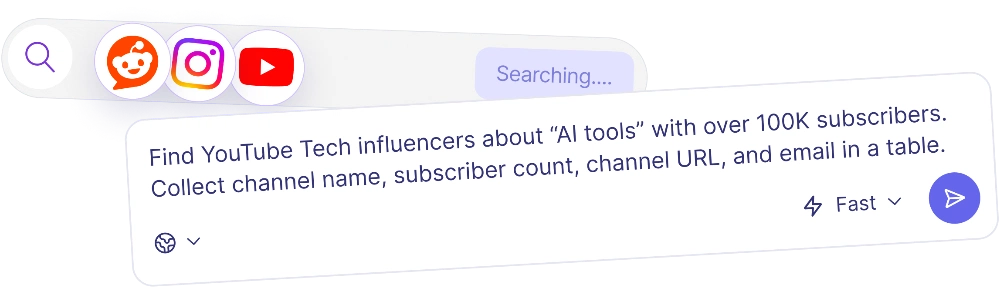
The secret of successful work is a good and detailed prompt. Describe your aims, provide additional information, and explain what your AI Agent needs to do.
If you face problems with writing, test a cool Nextbrowser feature: the prompt enchancer. It will help with your text by making it more understandable for the AI assistant.
Your prompt may look like this:
“Act as an expert in AI browser agents. Go to the Elon Musk, Sam Altman, Jeff Bezos accounts. Write relevant comments, communicate with other followers, and like the comments of other users. Share your opinion on the two most relevant 2-3 posts you find. Do something creative that will help grow the number of your followers.”
You can use Nextbrowser templates for X, Reddit, and Quora. They are perfectly detailed and can be adjusted to your specific needs. Or create something new and unusual — the AI Agent likes creative tasks.

Step #3. Relax and do something else.
Your AI assistant works automatically in the cloud. You can close your laptop or do something else — Nextbrowser won’t bother you or deteriorate the performance of your computer. Or watch it perform if you want to.

Step #4. Download results and automate the task.
Get your final file with all data and interactions or leave in the profile. Nextbrowser saves all steps, so you can always get back to previous tasks and analyze them. Your file will be in your chosen format.
If everything is OK, create a schedule for one or several prompts and enjoy full automation. Your AI Agent will perform on schedule in the cloud and warm up your account naturally — no need to worry about blocks or bans.

Nextbrowser Use Cases
The cool thing about this AI Agent is its multifunctionality. X account warming-ups are, of course, not the only method of application. Diverse and thought-out features let you apply Nextbrowser capabilities in different ways.
AI Analysis of Twitter Accounts
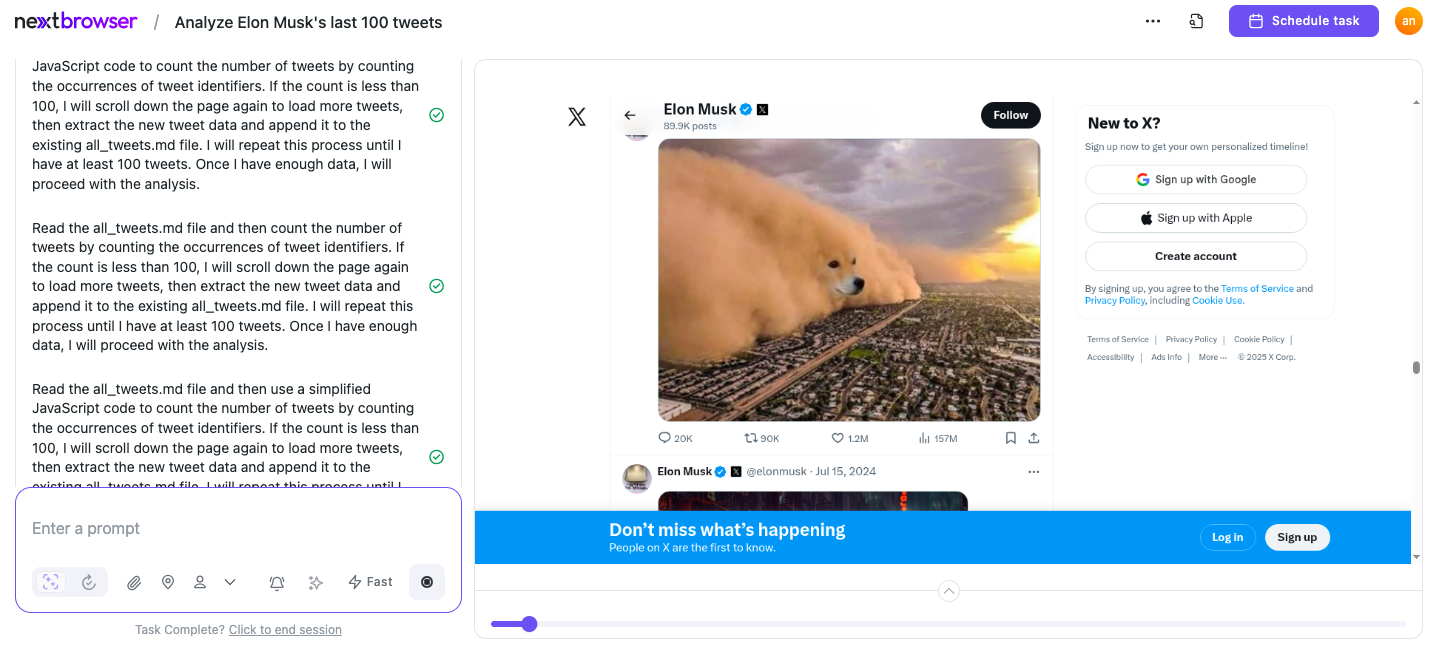
Nextbrowser isn’t just a tool for warming up your account. It also helps analyze your account’s performance. The AI agent tracks your account’s activity, engagement, and trends, providing you with useful insights on how your account is growing. Ask your AI assistant for a strategy and it will come up with a file of recommendations. Use this capability to monitor upvotes, comments, and interactions. Then analyze content performance and follower growth. Adjust your strategies based on real-time performance data and tips.
Your prompt may look like this: “Make an analysis of Elon Mask account. Check their last 100 tweets and find patterns: posting frequency, average engagement (likes, replies, reposts), common topics, and tone of voice. Then give me a summary of their strengths, weaknesses, and what seems to work best for them in terms of content.”
Best Twitter Accounts: What Makes Them Stand Out?
Want to make your Twitter account awesome? Test out these secrets:
- Be real: Reply to people, retweet cool stuff, and like things you enjoy.
- Post often: Share good content regularly, so people get something out of following you.
- Join the buzz: Jump into popular chats and use hashtags to stay relevant.
Use Nextbrowser to analyze the way cool accounts interact with content and discover best practices for your own Twitter strategy.
Unfollowing Inactive Twitter Accounts
Keeping your follower list fresh and active is the key. Nextbrowser can automatically unfollow accounts that aren't really engaging, so your follower list stays relevant. The AI system keeps an eye on activity and unfollows inactive accounts after a while. You can schedule this task, so you don't have to remember to check it yourself.
Your prompt may look like this: “Go to my Twitter account and open the list of accounts I follow. Scroll through the list and identify accounts that haven’t posted or replied in the last 90 days. Create a list of these inactive accounts in a table with: @handle, profile name, last activity date, and URL. Then start unfollowing them one by one.”
View Twitter Without an Account: Why It’s Useful
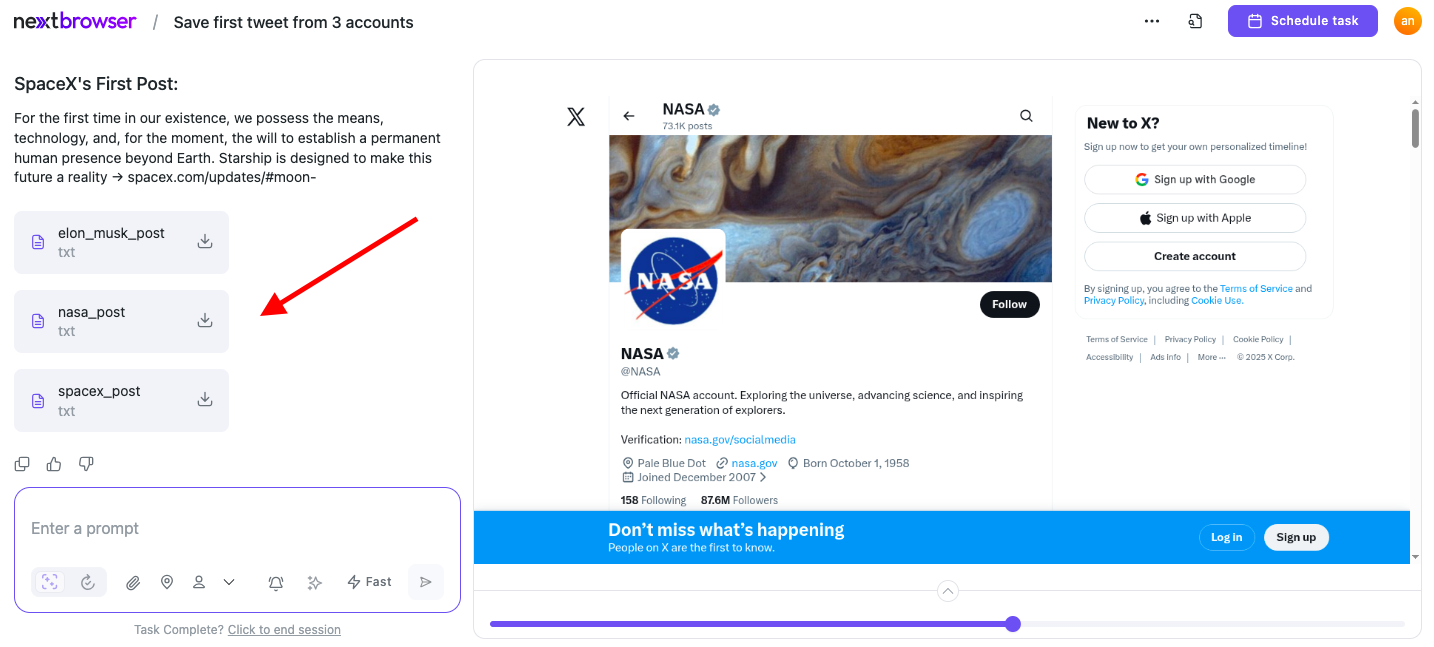
Sometimes, you just want to view Twitter content without logging in (whether for research, content inspiration, or competitor analysis). Nextbrowser allows you to do this anonymously. View Twitter and gather different data without needing an account. Get a pure view of what’s trending and what people are talking about. You won’t be detected as far as your account stays unused.
Your prompt may look like this: “View any 3 twitter accounts without logging in and save the first post from each page.”
Not Just Tweets, But Strategy: Final Thoughts
Getting your Twitter account liked and followed is super important if you want to build a strong presence online. If you start a new account or continue with an existing one, instruments such as Nextbrowser can do a great part of workflow automatically. This tool makes sure your account grows safely and steadily without getting a warning or being banned. With Nextbrowser, you can grow the engagement and see how well your account is doing without much effort. Get ready to grow your Twitter presence in a smart way.