
So, you've just created a new Facebook account, and you're eager to start advertising your business, right? But hold on for a second. Before you jump in full throttle, let’s talk about warming up your Facebook account. Facebook has some pretty strict rules about detecting fake accounts or bots. If your account doesn’t look natural, it could easily get flagged or even banned, before you even start your advertising campaign.
But no worries, with the right steps, you can safely and effectively warm up your account and start using it like a pro. This long and tedious process can be done in a few clicks if you use the right tool: the right tool.
Why Warming Up Your Facebook Account is Crucial
When you first create a Facebook account, it's like a blank canvas: no activity, no followers, and no interactions. Facebook's algorithms are smart, and they can tell when something looks weird. If your account starts interacting with others too aggressively right from the start, it can easily be flagged as a bot.
So, you need to gradually increase your activity in a natural way, making Facebook believe you’re a real user, not a bot. And that means a warming-up process.
Without warming-ups, your account may experience: account restrictions, suspicions of spammy behavior, or even complete account bans.
Use Cases for Warmed-up Accounts
With good accounts, you can participate in various marketing campaigns and work across different niches. You are not limited in the ways you can use warmed-up accounts, but there are some particularly successful areas and cases where such accounts generate maximum profit.
Facebook Ads: advertise offers in e-commerce, dropshipping, finance, subscription services, education products, beauty and other CPA offers. Place ads on your accounts and attract new customers to your business or advertiser's brand.
Marketplace Flipping: if you deal with several accounts, think about buying stuff on Facebook Marketplace and then selling it for bigger prices. Warmed accounts help build trust and lower the chance of you getting blocked when you're buying and selling.
Community Building and Monetization: create Facebook groups, gather strong and engaged community around niche topics, build trust across your followers. Find sponsors and advertise their brands among your audience.
Warming-up Methods
Choice is always a pleasant prerogative, and in the case of warming up, it certainly exists. You can use the old proven method: manual warming-up. Or choose a special app and test partial automation.
Manual Option
We won't mislead you by telling you that warming up an account manually is easy and, most importantly, quick. That's definitely not true. The process takes a lot of time and effort. You'll need patience and creativity. But this method has at least one advantage: it's completely free. If you still want to try your hand at this process, then follow the steps.
Days 1-3: Just browse
For the first few days, don’t go crazy with likes, comments, or follows. The goal here is just to log in and scroll through your feed for about 10-15 minutes a day. This will help make your account look like it's being used by a real person without triggering any red flags.
Days 4-7: Start interacting a little
Now, it's time to start engaging a little more. Don’t rush, though. Keep things gradual. The goal here is to show that you're a normal user doing normal activities on Facebook.
You need to like 5-10 posts a day, start commenting on some posts but keep it light and relevant, and follow a few people or pages that match your interests.
Days 8-14: Publish content and increase interactions
You have entered the fun part! By this point, your Facebook account should be warming up nicely. It's time to post something. It doesn’t have to be super complicated. Just something casual, like a status update or a picture. Make sure your content looks natural. Don’t forget about liking, commenting, and following in moderation. You can also join a couple of Facebook groups related to your interests.
Days 15-21: Start adding friends
Now that your account is getting a little more established, it's time to add friends and expand your network. But don't go crazy with this! The key here is slow and steady. Add 5-10 friends a day (depending on your comfort level). Don’t try to add a ton of people at once. And keep interacting with posts and adding comments.
Days 22-30: Ramp up your activity gradually
Your Facebook account should feel like it's genuinely active. You’ve been posting, liking, commenting, and adding friends. Now you can start ramping up your activity but still be cautious and don’t go overboard. Continue posting regularly but keep the content engaging and relevant. Start engaging with ads and add more friends gradually.
Probably the main point here is that manual warming-up is a feasible task but be ready to spend months on just one account. If your business needs multiple profiles (and that's usually how it happens), then this method isn’t for you.
Tips:
- Don’t rush and make regular pauses. Tired people start doing repetitive actions and look suspicious.
- Increase your activity gradually through different ways: watch videos, like posts, or comment pictures.
- Publish only good content. It can be informal or unserious but do not write meaningless posts or texts that violate Facebook rules.
Apps and Extensions
We're moving from manual warm-up to a semi-automated process. The advantage of apps is their accessibility. You can download several options and choose the one you like. But the bad news is, you're not likely to like any of them. Such platforms use outdated warm-up methods and are constantly getting blocked by Facebook. The creators of such products don't invest in smart systems and create thousands of mediocre apps. They're quickly blocked, and new ones keep popping up. Risking your account to try a new setting is definitely not worth it. Anti-automation systems closely monitor suspicious activity. And such tools are highly suspicious.
Downloading apps to your computer can slow down its performance and take up memory. Furthermore, be sure to pay attention to the source of the file. Use only trusted resources and websites to avoid downloading a virus to your laptop.
This method is difficult to recommend because the risk of bans is too high and is almost inevitable.
AI Tools: Nextbrowser Case
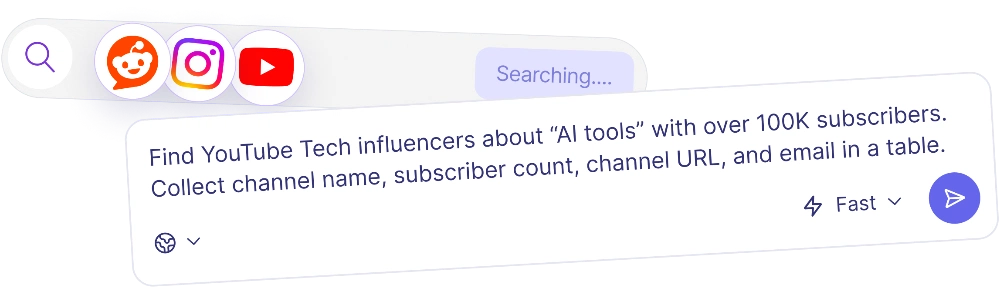
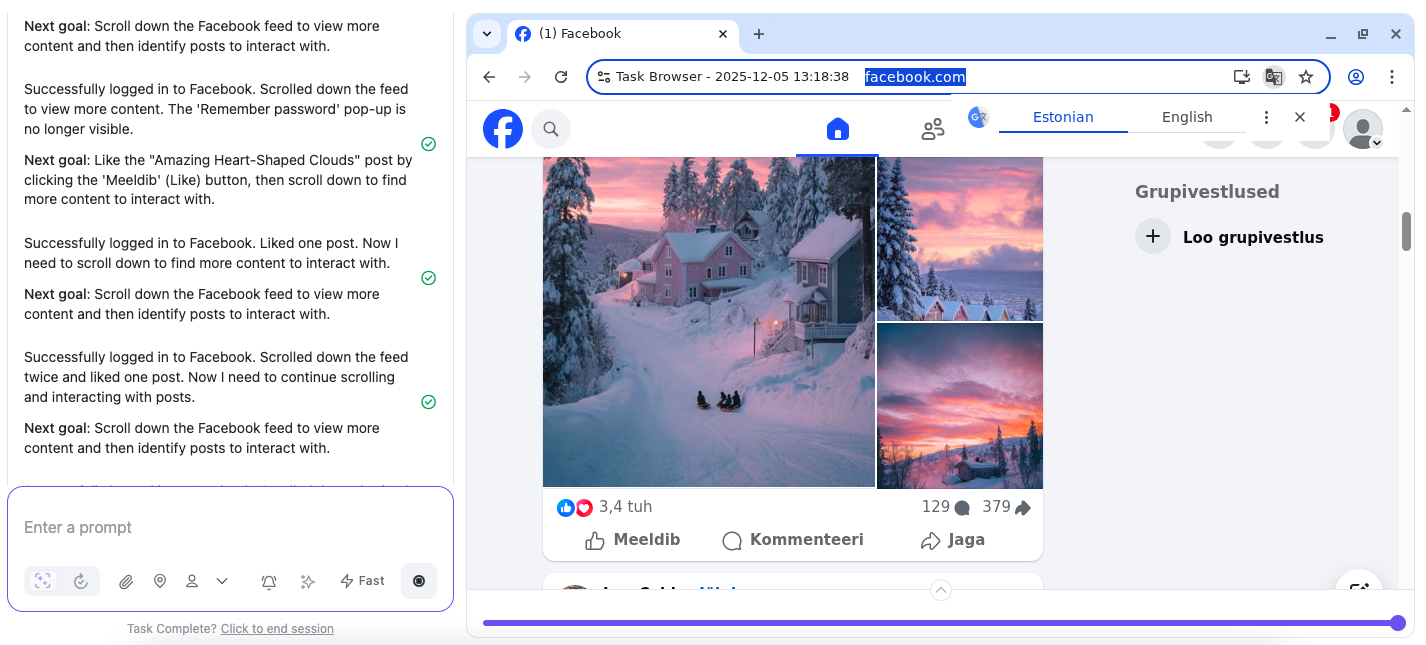
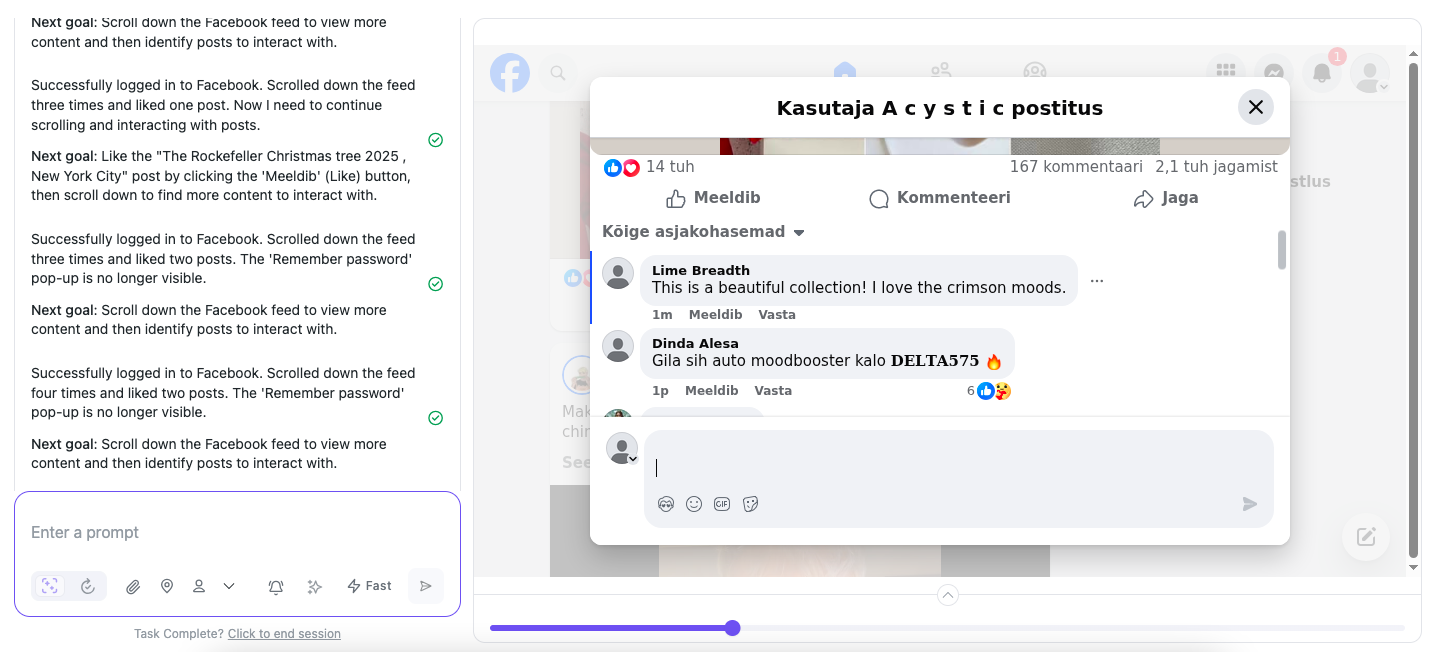
This option is the right track to hassle-free automation of business processes. This guide focuses on Facebook Ads launch, and Nextbrowser is a great choice for this task. It allows you to automate and schedule activities to replicate human behavior without looking like a bot. The AI tool can warm up accounts and prepare them for advertising placement. It performs the same steps as you would do. It clicks, scrolls, watches videos, comments posts and writes its own, closes and opens pages, and much more. In short, it a good mix of manual warming-up accuracy and app automation.
Smart automation is probably the best feature of this platform. Account warming-ups take a lot of time, but you can free it up with Nextbrowser. This AI tool gives you the possibility to create your own unique plan according to which the platform will work. It will behave as a real user and perform different interactions that look natural and do not arouse suspicions. Your accounts will be secured from blocks or bans.
If you are ready to test this instrument and make your like easier, then this detailed guide is for you:
Step 1. Create an account
The platform is user-friendly and simple. Just create an account and provide your credentials.
Nextbrowser is free to test and explore. No banking details are required.
Step 2. Log in a new Facebook account
Provide Nextbrowser with your account credentials, so it can enter the profile and start working. Smart login management makes sure your personal data is protected.
Step 3. Write a prompt
Decide on your aims and write a good prompt. Imagine that you’re a tutor that explains a task to the student. Give details and provide additional information. Tell the AI assistant all the facts, so it can perform actions the best way.
If you face difficulties, there is the prompt enchancer. Use it to make your text better. You can also use the templates if they are suitable for your case.
Your prompt may look like this:
“Go to my Facebook account. Act as if you are a real person engaging on Facebook. Scroll through the feed naturally, like posts that seem interesting or relevant, comment thoughtfully when appropriate, and occasionally share content. Mimic human browsing behavior by varying your activity — sometimes liking multiple posts in a row, other times scrolling without interaction, and maintaining a natural, human-like rhythm. Your goal is to appear authentic and active, engaging in typical social media manners, and warm up my account the best way.”
Step 4. Launch the task
Launch the prompt and do something else. Nextbrowser will work independently in the cloud, so you won’t face any troubles with your laptop performance. What’s more, you can create several profiles and launch multiple tasks at once. No limitations here: warm-up as many accounts as you need simultaneously.
You don’t have to worry about the AI Agent work. If the process needs your attention, the platform will send you an email.
Step 5. Create a fanpage
It’s a crucial step when you launch ads campaigns. In short, a fan page is a public page on behalf of which the advertising works. It is important to have one. That way, potential customers will trust your words, and Facebook will like your campaign a little bit more. Before buying something from your ads, people check the fanpage and look for authoritative authors and positive reviews. So, make sure your page is interesting to read and useful.

Step 6. Wait the result
When the process is ended, you will get an email from the AI tool. You can download the final report if you need in-depth analytics. You can choose the format of the file when you write the prompt.
Step 7. Schedule the task
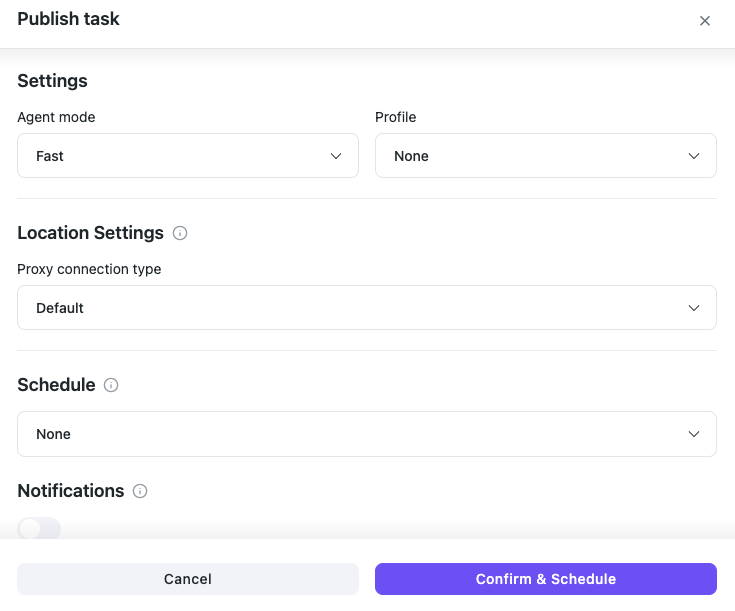
Create a plan and let Nextbrowser warm up your accounts according to the plan. It will work independently, so you can focus on other more interesting topics and tasks. Specify your task details and decide when and often should Nextbrowser work. Choose location settings as well. The AI tool will warm up your pages and profiles strictly according to your schedule.
Step 8. Launch ads
After a few days of good warming-ups, you can start planning your campaign. Don’t rush and make it wisely. Create an advertising account in the Ads Manager and start working. The process is the following:
- Link payments. You need to link a card that isn't used in other accounts. Ideally, a virtual card for a specific account.
- Launch a test ad. Create a campaign with a minimum budget of $5-$10 daily for a white offer page. Avoid aggressive creatives.
- Gradually increase the budget. If the test campaign runs smoothly, you can gradually increase your bids.
That’s how you open an advertising campaign and start making money. And don’t give up posting on your account. Use Nextbrowser to write comments and increase your community.
Final Thoughts on Using Nextbrowser for Warming Up
Launching ads and keeping your Facebook accounts from being flagged are easy tasks with Nextbrowser. The platform automates the process and avoids bans because of human-like behavior. It warms up your pages, writes good content, and creates a solid foundation for creating advertising campaigns.
Make sure you don't use a bad VPN or sudden IP changes and don't log in from suspicious devices. This way, you can keep your workflow stable and consistent. To save your time launch multiple accounts simultaneously — Nextbrowser will cope with all tasks.