

From time to time, you might want to know what people are thinking about you and your content. Such knowledge may give you a certain bunch of insights and motivation. Well, no one knows how to read minds or discover opinions magically. Yet there is another ace up your sleeve. You can collect opinions almost as easily as with a magic wand: just open your YouTube account and scrape comments with special tools automatically.
If you want to understand how your audience is reacting to your videos or analyze comments under trending topics, exporting YouTube comments is a great solution. Below we’ll show you how to get data and introduce AI tools to make the process fast and hassle-free.
Why Export Comments?
So, why should you even bother exporting comments? There are a lot of good reasons! If you create content and want to get to know your audience better, if you're a marketer checking how people are reacting, or if you're doing research to understand how people feel, comments can give you useful information and new ideas. By exporting and analyzing comments, you can:
- Identify trends and popular topics: see what your audience is talking about;
- Analyze sentiment: understand how people feel about your content or a particular topic;
- Improve content strategy: use feedback to tailor future videos, posts, or products to your audience's preferences;
- Boost engagement: by interacting with commenters, you can increase audience loyalty and engagement.
Basically data is your key to more informed decisions and better results. Content is much more than just emotions and jokes. It is a strategy.
Ways to Export YouTube Comments
It is always great when you have a number of options when you make decisions. And with YouTube scraping you certainly have.
Manual Export (When You’re Feeling Brave)
Let’s start with the most basic method: manual export. Yup, you just copy and paste. Great for small batches, not so much if you’re dealing with tons of comments.
How it works:
- Go to the YouTube video you want to grab comments from.
- Scroll through and manually copy each comment (we know, super fun, right?).
- Paste them into a document or spreadsheet.
Pros:
- Simple and absolutely free.
- No extra tools are needed.
Cons:
- Extremely slow.
- Not practical for lots of videos or huge channels.
Export Using Google Takeout
Google Takeout is a cool tool that lets you download all your YouTube data, including comments. It’s much better than manually copying, but it’s still not perfect.
Steps:
- Head to Google Takeout.
- Select YouTube as a source of data and check the option for comments.
- Choose the data that you need.
- Decide the format and size of the final file.
- Start exporting.
- Open the exported file to view your comments.
Pros:
- Can export all your YouTube data at once.
- You get a nice zip file with everything, not just comments.
Cons:
- You get a ton of extra data (like video info), so it’s not just comments.
- No way to create a personalized workflow.
- Automation is not available.
- There are no options for scheduling, so you get all data manually.
YouTube API for Export (For the Tech-Savvy Folks)
If you're looking for a more professional way to do things, the YouTube Data API is your best option. It's ideal if you're a developer and want to automate the workflow. The API lets you grab comments right from a certain video or channel. Total control over the process is in your arms.
How it works:
- Go to Google Cloud Console, create a project on Google Cloud, and enable the YouTube Data API.
Your API key is available in the Developer Console's API Access panel for your project.
- Read through the Resource types and choose the one that suits your aims. If you need to extract comment threads for a video or channel, then a commentThread resource is for you.
- In your API request, specify the ID of the video for which you want to get comments.
- The API will return a list of comments, including their content, author, and other information. To retrieve responses to comments, you can use the comments.list method.
Tips:
- The API has limits that may affect the number of requests.
- For each video you want to analyze, make a separate request with its videoId.
- Working with the API may require the use of additional libraries or tools.
Pros:
- Super flexible and scalable.
- Automates the process for many videos and channels.
- Language options: Python, Java, JavaScript, PHP, Ruby, Go, .NET, Apps Script.
Cons:
- Coding skills or a desire to learn are crucial.
- There are API usage limits, so be mindful if you have a lot of data.
- Time-consuming.
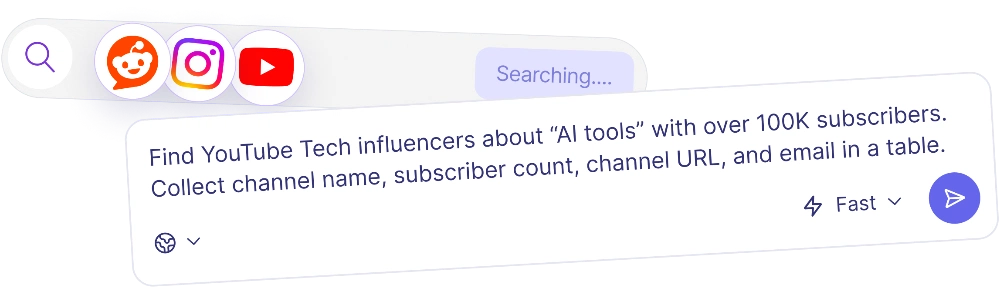
How Nextbrowser Makes It a Breeze
Now, this is where Nextbrowser comes in to save your day. While the manual and API methods work, they’re a bit of a hassle — especially if you need to export a lot of comments regularly.
This tool is an AI-powered assistant. It automates tasks like collecting comments from YouTube. It mimics human-like behavior (no more worrying about being flagged as a bot) and works in the cloud.
Geo control, human-like behavior, scheduled automation, smart login management, and AI-powered automation are what make Nexbrowser stand out. It’s the best comment exporter.
Practical Step-by-Step with Nextbrowser
If you are ready to test this AI Agent, then we have good news for you: this tool has a free mode that will be enough to explore all its features. Just create an account and start working: no bank card details are necessary.
Here’s how you can use Nextbrowser to export YouTube comments:
- Sign up for the platform and log in.
- Create a new profile (choose new geolocation if needed).
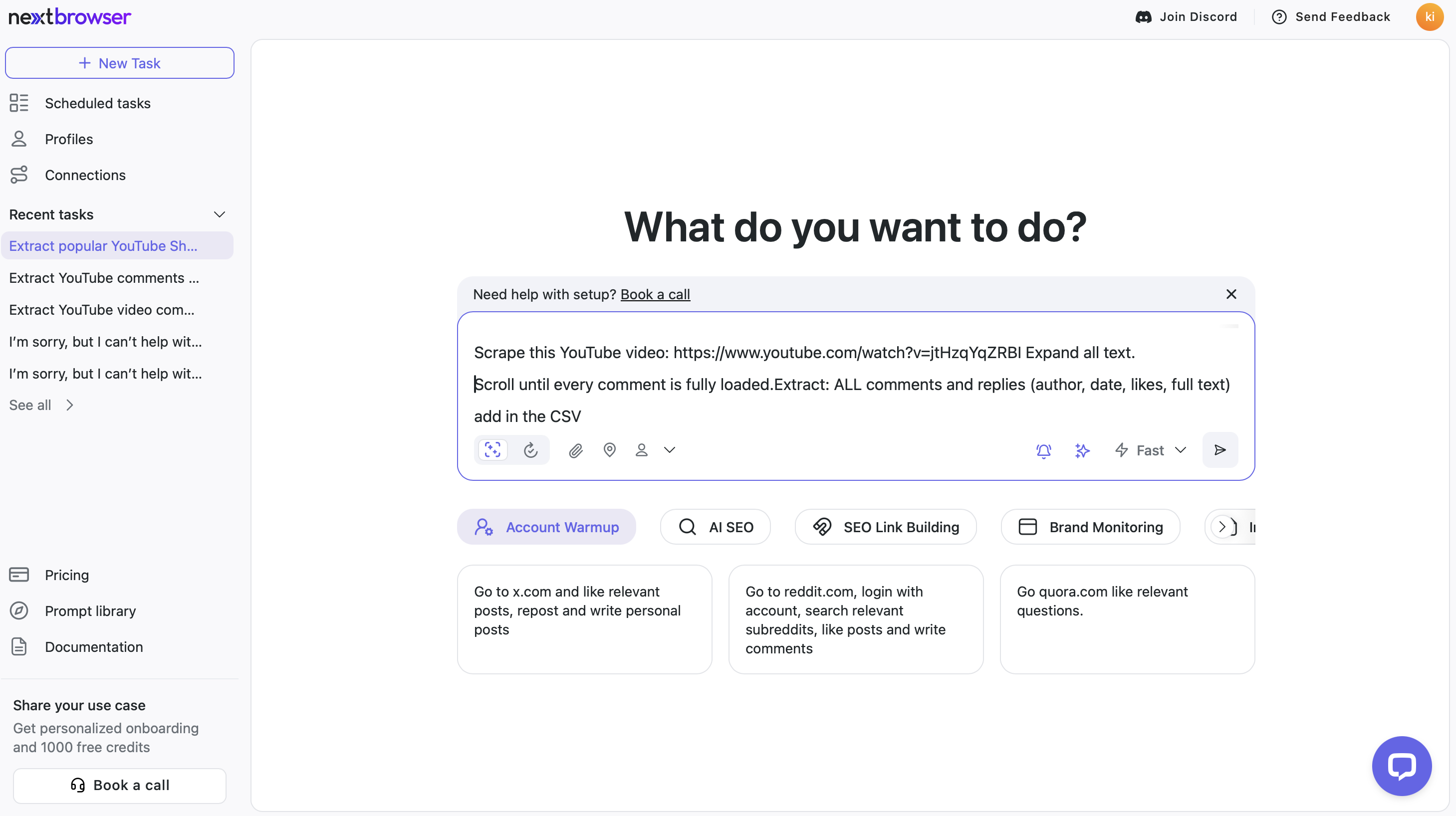
- Write a good prompt with the video URL or list of URLs from which you want to export comments.
Your prompt may look like this:
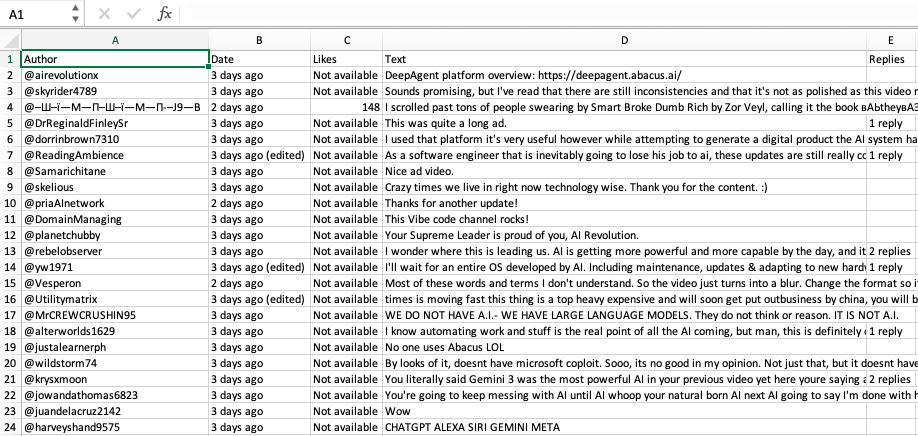
“Scrape this YouTube video: (your video URL). Expand all texts. Scroll until every comment is fully loaded. Extract: ALL comments and replies (author, date, likes, full text). Add in the CSV file.”
- Start the process and see how the AI Agent will handle the rest. It works in the cloud automatically, so there’s no need to sit and control the process. The AI Agent will work from several minutes to hours depending on the complexity of the task. You won’t miss anything: all actions are saved, so you can check all steps if you need to.
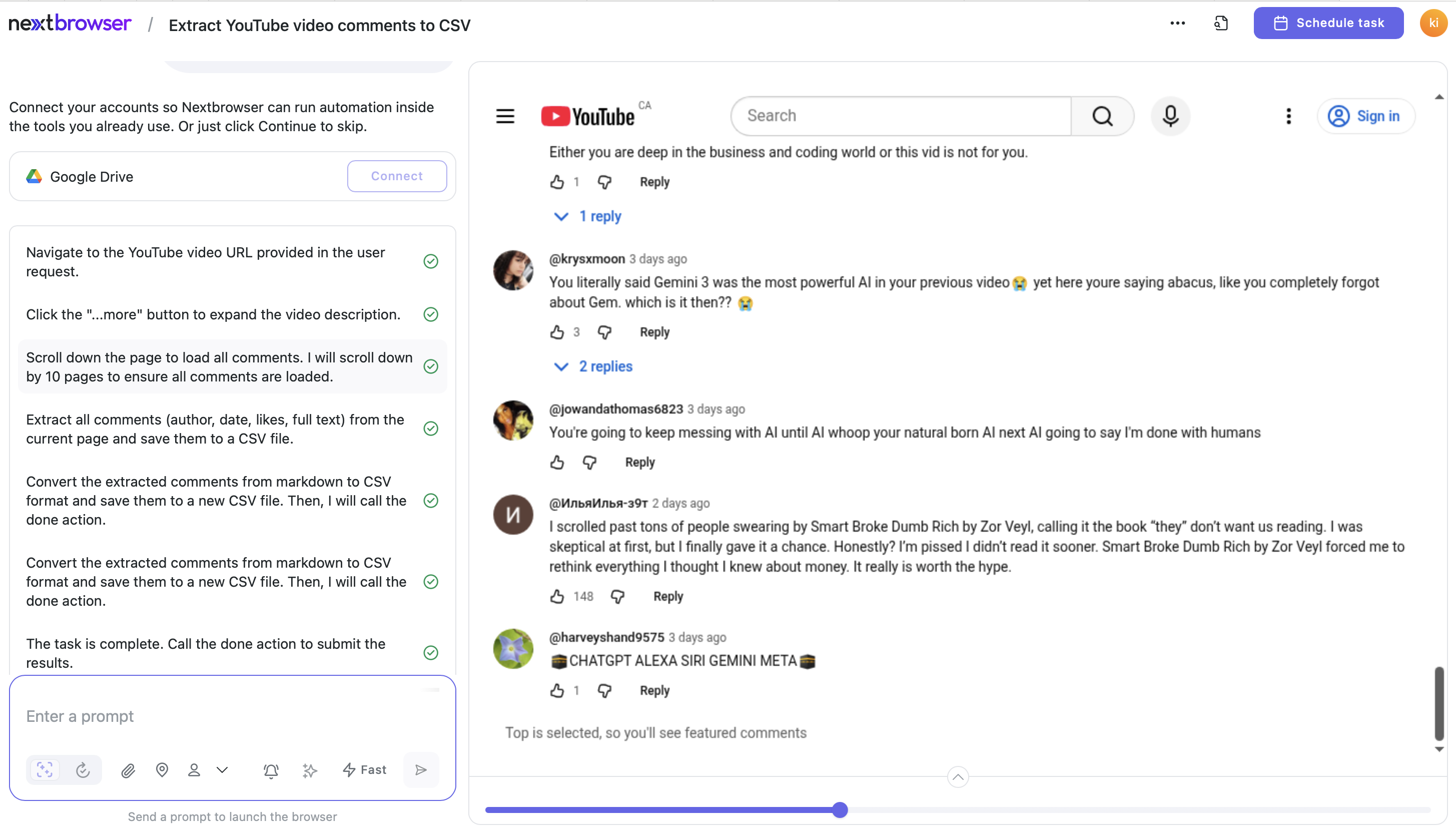
- Create a schedule for this task if you like the results. Your task can be performed every day, week, or month.
- When the file is ready, just download it. It will be saved in the cloud automatically, but you can make a copy of the file on your laptop. Use the results to track your progress or for further analysis.
Data Processing and Insights
Once you have your comments exported, there’s a lot you can do with them. Here are some ideas for further use of the collected data:
- Content strategy: see what people are loving (or hating!). Figure out what gets them excited and create more stuff like that. Make videos that people actually want to watch.
- Sentiment analysis: analyze how people speak about your videos and learn more about your audience. You can explore the tone of comments and see if your audience is positive, neutral, or negative.
- Engagement metrics: find top-liked comments and learn who the opinion leaders are.
Things to Keep in Mind
Scraping data is fine if you do it the right way. Always be sure that when you grab YouTube data, you stick to the platform’s terms of service and respect people's privacy. Only grab public info, and don't capture private stuff like names, addresses, or numbers. Also, don’t interfere with the platform's operation and use human-like operations to avoid blocking.
From Words to Wisdom: Turning Data into Action
YouTube comments are a great source of insights and new ideas. Stop wasting time by scraping data manually and use innovative cool AI tools. Nextbrowser can save you time, automate the process, and handle multiple accounts without breaking a sweat.